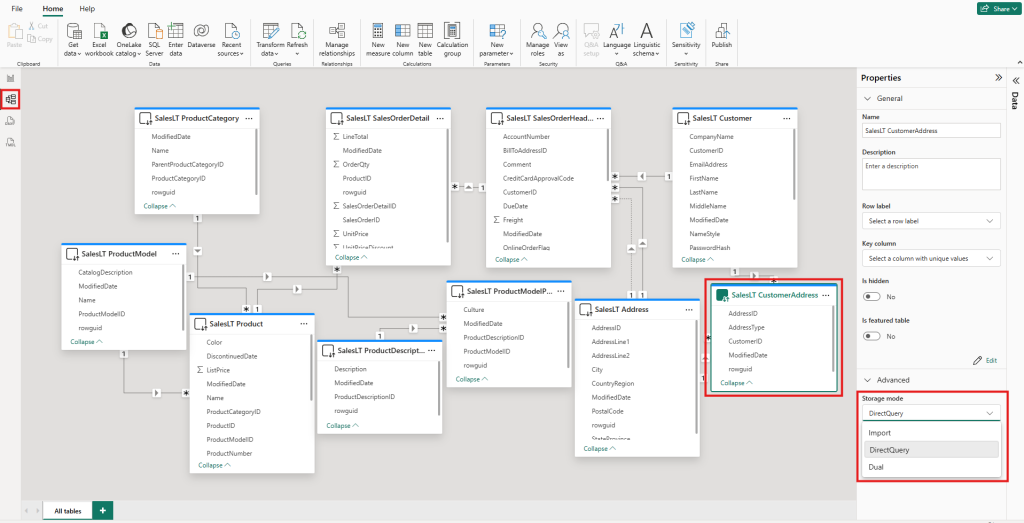
There are 3 storage modes for tables in Power BI.
Import
In Import mode, data is loaded and stored in Power BI. It usually performs best because the engine is columnar and Power BI compresses data heavily in the background while loading it. It’s fast, powerful, and can handle a lot of complicated calculations. It is limited by model size and memory constraints (and what’s available in your environment).
DirectQuery
DirectQuery comes into play when you have more data than you can fit in memory, when you need your data (almost) in real time, or for any other reason where importing isn’t an option. In this mode, your data is not preloaded, and with every click in your report, a new query is sent to your data source. Performance depends on the source system and how efficiently Power BI can translate your visuals into queries. Query folding matters a lot here.
DirectQuery is great for many scenarios, but it has limits, for example the 1M rows per query limit and restrictions on some calculations.
In some scenarios it makes sense to have both types of fact tables in the model. For example, you might have a Finance table where the size is manageable, and an Inventory table with so many rows that it doesn’t fit within your model size and memory constraints anymore.
At this point comes the question: what type should my dimension tables be?
For the finance table, Import. When both the dimension and fact are Import, Power BI can build internal structures in memory and optimize a lot of things.
For the inventory table, DirectQuery. Power BI can often combine filters and push them down to the source, so it asks only for what’s needed and doesn’t have to do everything in memory.
So if we have both types of fact tables in our model, Dual mode is our savior.
Dual mode, explained
Dual mode is the chameleon of storage modes. With it, a dimension table becomes both Import and DirectQuery.
If the relationship between a Dual table and an Import table is used in a calculation, the Dual table behaves like Import too, leveraging Import performance benefits.
If the relationship between a Dual table and a DirectQuery table is used, the Dual table behaves like DirectQuery, so filters can be pushed to the source.
That’s pretty cool, isn’t it?
One thing to be careful about (I learned it the hard way)
There is one thing you have to be careful about while using Dual mode: your data has to be clean. Yeah, you heard it before, but here is what went wrong for me.
I had a Sales fact table in DirectQuery and a Product_Category dimension in Dual mode. In my report I had Product Category as a slicer. And I didn’t know it, but some category names had an empty space “ ” at the end.
There was never a problem with that in Import. But when I switched the dimension to Dual, the numbers didn’t add up in the report.
What happened? Slicers take their values from the in-memory (Import-like) copy of the Dual table. In Import, Power BI often makes text fields a bit prettier by trimming empty spaces. So the slicer showed “electronics”.
But when I selected “electronics” in the slicer, that value was used as a filter in the query sent to my data source. And in the data source there was no “electronics”. There was only “electronics ” (with a trailing space).
One small space, so many problems.
What is your experience with Dual mode?